Protecting Your tk999 Account: Habits That Actually Help
Protecting Your tk999 Account: Habits That Actually Help
Account security is mostly habit rather than technology. Most people who lose access to an online profile do not fall victim to a sophisticated hack; they simply reuse a password, tap a link they should have ignored, or leave a device unlocked where someone else can reach it. If you use tk999, the same everyday routines that protect your email or banking app will protect your account here. This piece walks through concrete habits, one at a time, and closes with what to do if you suspect someone else has been inside your account.
Habit One: Build a Password That Belongs Only to This Account
The single most useful habit is also the least exciting: never reuse a password. When people reuse credentials, a leak on one website becomes a key to every other website where that same email and password combination was used. Attackers do not need to target you specifically; they simply take lists of leaked logins and try them everywhere. If your tk999 password is identical to the one you use for email, a single breach elsewhere puts your betting account at risk.
A strong password for this purpose should be long rather than complicated. Four or five unrelated words strung together, plus a number and a symbol, produces something both memorable and difficult to guess. Avoid names, birthdays, cricket teams or anything visible on your public social profiles. The goal is a password that exists in your head and nowhere else.
Changing the password periodically is less important than making it unique, but a refresh every few months does no harm, especially if you have ever typed it on a shared computer or a borrowed phone. When you change it, change it fully; do not simply add a number to the end of the old one.
Habit Two: Treat Your Device Lock as Part of Your Login
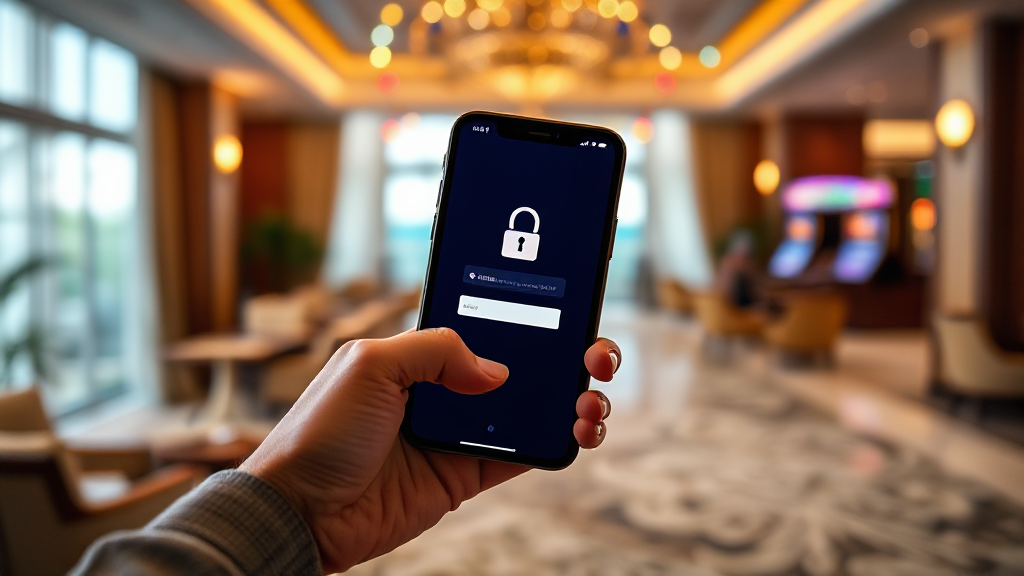
Your account is only as safe as the device that stays logged into it. If your phone has no screen lock, anyone who picks it up for a moment has full access to everything on it, including any betting platform you have signed into. Setting a PIN, pattern, fingerprint or face unlock takes under a minute and closes that gap almost entirely.
There are a few practical details worth adding on top of the basic lock. Set your screen to lock automatically after a short idle period, so a forgotten phone in a pocket or on a table does not stay open indefinitely. Turn on remote wipe if your platform supports it, so a lost device can be cleared rather than handed over intact. And be careful about who you hand an unlocked phone to, even briefly; a few seconds is enough time to open an app and change a setting.
If you use a shared computer, a cyber cafe, or a friend’s laptop, log out completely when you finish rather than just closing the browser tab. Closing a tab does not end a session, and the next person to open that browser may find themselves already signed in as you.
Habit Three: Recognise Phishing Before You Click
Phishing is the attack most likely to reach an ordinary user, and it rarely looks dramatic. It usually arrives as a message that seems helpful: a login alert, a bonus notification, a request to confirm your details, or a warning that your account will be suspended. The message includes a link, and the link leads to a page that looks exactly like the real login screen.
The habit that defeats most phishing attempts is simple: never log in through a link you received. Instead, close the message, open your browser, and type the address yourself, or use a bookmark you created earlier. If the message was genuine, the same information will be waiting for you when you arrive through the front door. If it was fake, you have just avoided handing your password to a stranger.
There are other signals worth noticing. Urgency is a red flag, because real platforms rarely demand that you act within minutes. Requests for your password, PIN or one-time codes are another, since no legitimate service needs you to read those back to a person. Slight misspellings in the web address, odd sender domains, and messages that arrive from a channel the platform does not normally use are all worth pausing over. When in doubt, verify through the platform’s own support channel rather than replying to the message.
Habit Four: Keep Sessions, Payments and Personal Details Tidy
Small housekeeping habits reduce the number of ways an account can be compromised. Start with sessions: sign out of devices you no longer use, and check whether the platform shows you a list of active logins. If you see a device or location you do not recognise, end that session immediately and change your password.
Payment details deserve the same attention. Use a payment method you are comfortable with, keep records of your transactions, and be sceptical of anyone who asks you to move money outside the platform’s normal process. If a person or message claims to be from support and asks for a payment to unlock a withdrawal or fix an account issue, treat it as fraud until proven otherwise through official channels.
Personal details are the third piece. Share your account information with no one, including friends and family, because shared access is shared risk. If someone else knows your login, you can no longer be certain who is responsible for activity on the account. Keep your registered email address and phone number current as well; they are how you receive security alerts and how you recover access if something goes wrong.
Finally, keep the app and your phone’s operating system updated. Updates often contain security fixes, and running an outdated version leaves known gaps open. This is one of the few security tasks that requires almost no effort once automatic updates are switched on.
What to Do After a Suspected Breach
If you believe someone else has accessed your tk999 account, act in order rather than in panic. First, change your password from a device you trust, and choose a new one that has never been used anywhere else. Second, sign out of all other sessions if the platform offers that option, so any intruder is pushed out. Third, check your account activity, including login history and transaction records, and note anything you do not recognise.
Next, secure the email address tied to the account. If an attacker has access to your email, they can often reset your password again after you change it, which makes the password change pointless. Change the email password too, and turn on two-factor authentication there if it is available. Then contact the platform’s official support team through the contact details published on the site, describe what you have observed, and follow their recovery process. Do not respond to unsolicited messages offering to fix the problem, as these are frequently a second attempt at the same fraud.
Once the immediate issue is resolved, review what allowed it to happen. Was a password reused? Was a device left unlocked? Did a link get clicked? The answer usually points to one habit worth tightening, and tightening it is what prevents a repeat.
Frequently Asked Questions
How often should I change my tk999 password?
There is no fixed rule, but changing it every few months, or immediately after any suspected leak elsewhere, is a reasonable approach. More important than frequency is uniqueness: a password used only for this account is far safer than one changed often but reused across several sites.
Is it safe to log in on a public Wi-Fi network?
Public networks carry more risk than home connections, because traffic can sometimes be observed by others on the same network. If you must log in away from home, use your mobile data connection, avoid entering passwords on unfamiliar networks, and log out fully when you are finished.
What should I do if I receive a message claiming to be from support?
Do not click any links or share details. Close the message, then reach the platform through its official website or published support contact and ask whether the message is genuine. Legitimate support teams do not ask for your password or one-time codes.
Can someone access my account without my password?
It is possible if a device is left unlocked or if your email account is compromised, since email is often used for password resets. Locking your devices, securing your email, and reviewing active sessions regularly closes most of these routes.